

Affordable Smart Home Upgrades That Make a Real Difference
Affordable smart home upgrades help you improve comfort, security, and energy efficiency without expensive renovations. If you want to modernize your home on a budget, start with smart lighting, plugs, speakers, and energy-saving devices that deliver immediate value
Many people wonder: Are smart homes expensive? Do I need a hub? Is the setup complicated? The answer is no, get started for under $50, install it yourself, and control everything from your phone or voice. This guide covers practical, affordable upgrades, showing you which devices deliver the most value and how to expand your smart home step by step.
Why Affordable Smart Home Upgrades Are Worth It
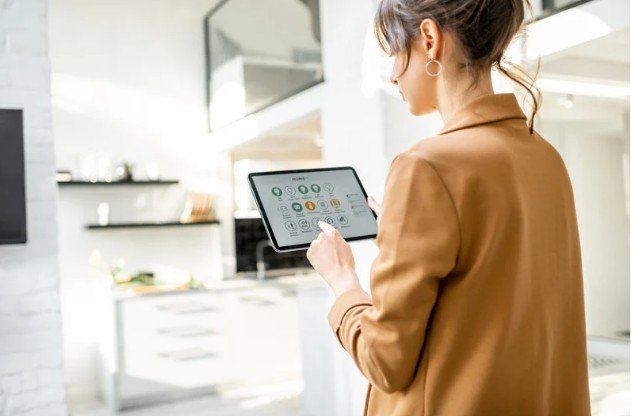
Affordable smart home upgrades solve everyday problems. They reduce wasted energy, improve safety, and save time. More importantly, they scale with your budget. Many homeowners delay smart upgrades because they expect high costs or complex wiring. Modern devices remove those barriers. Most connect through Wi-Fi, install in minutes, and work with existing fixtures.
Key benefits include:
- Lower electricity and heating bills
- Better home security without subscriptions
- Hands-free control and automation
- Increased home value and resale appeal
Start With Smart Lighting and Smart Plugs
Smart Bulbs: The Easiest First Upgrade
Smart bulbs replace standard bulbs and unlock instant control. You can dim lights, change colors, and schedule on and off times from your phone or voice assistant.
They work well for:
- Living rooms and bedrooms
- Accent lighting
- Energy-conscious households
Most smart bulbs cost less than a dinner out and last for years. They also reduce electricity usage through LED efficiency.
Smart Plugs: Turn Any Device Smart
Smart plugs convert regular appliances into smart devices. You plug them into an outlet, connect them to Wi-Fi, and control anything attached.
They work best for:
- Lamps and fans
- Coffee makers
- Holiday lights
Smart plugs also help track usage and prevent devices from running all day.
Use a Smart Speaker as Your Control Center
A smart speaker acts as the brain of your system. It allows voice control, routines, and automation without opening apps. Choose an ecosystem before buying devices. Popular options include Amazon Alexa, Google Assistant, and Apple HomeKit. Once you choose, stick with compatible devices. This prevents wasted money and setup frustration.
Improve Security Without Expensive Systems
Video Doorbells for Everyday Safety
Video doorbells let you see and talk to visitors from your phone. They help prevent package theft and unwanted visitors.
They provide:
- Motion alerts
- Live video access
- Two-way audio
You get peace of mind without monthly monitoring contracts.
Indoor Cameras and Sensors
Indoor cameras help monitor pets, kids, or entry points. Smart sensors alert you when doors or windows open. These tools work well for renters and homeowners alike because they require no drilling or wiring.
Cut Utility Bills With Smart Climate Control
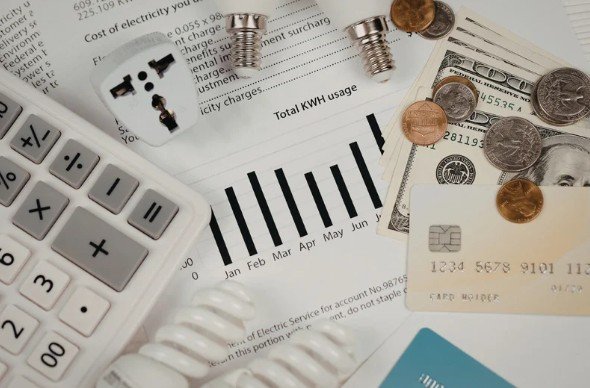
Smart thermostats offer one of the highest returns on investment. Studies show they can reduce heating and cooling costs by 8% to 15% annually.
They help by:
- Learning your schedule
- Adjusting temperatures automatically
- Reducing energy waste when you are away
Many utility companies also offer rebates, which lowers upfront cost even more.
Addressing Common Objections Early
“Smart homes cost too much”
You control the budget. Start with one device and expand only when ready.
“Setup sounds complicated”
Most devices follow step-by-step app instructions and take under 10 minutes.
“What if my Wi-Fi is slow?”
Modern smart devices use minimal bandwidth and work well on standard home networks.
Build a Smart Home Under $500
You do not need everything at once. A balanced setup often includes:
- Smart speaker
- Two smart bulbs
- Two smart plugs
- One security camera or doorbell
- One smart thermostat
This combination covers comfort, security, and energy savings while staying affordable.
Smart Buying Tips That Save Money
- Buy multipacks to reduce per-device cost
- Shop during seasonal sales
- Repurpose old tablets as wall dashboards
- Avoid devices that require paid subscriptions
Compatibility matters more than brand names. Always check supported ecosystems.
Mobile Optimization and Automation Tips

Smart home apps work best when you:
- Use routines instead of manual control
- Group devices by room
- Enable notifications selectively
Automation saves time and prevents constant phone use.
FAQ’s
1. How to make your home smart on a budget?
Start with affordable devices like smart bulbs, plugs, and a voice assistant. These cost under $50 and offer great value. Expand gradually as your budget allows.
2. How much does it cost to turn a house into a smart home?
You can start for as little as $50 for basic devices like smart lights and plugs. A fully connected home can range from $200 to $500, depending on the devices and complexity.
3. Are there any downsides to smart home tech?
Some smart devices can have security risks if not updated regularly. They may also require a stable Wi-Fi connection, and some products might need monthly subscriptions for advanced features.
4. How do I convert my normal home into a smart home?
Begin with simple devices like smart bulbs and plugs, then add a smart speaker or thermostat. Gradually integrate security and energy-saving devices as you expand.
Final Thoughts: Start Small, Upgrade Smart
Affordable smart home upgrades are most effective when you focus on your real needs. Start with smart lighting or plugs, then add voice control for convenience. Gradually expand into security and energy-saving devices. Each upgrade enhances your daily life without straining your budget.