Mastering MyKaty Cloud: The Ultimate Access & Security Guide for Katy ISD Families
Katy Independent School District serves over 90,000 students across dozens of campuses, making it one of the largest and fastest-growing school systems in Texas. Managing digital learning across such a massive ecosystem requires serious infrastructure, which is precisely why mykaty cloud exists. It acts as a single digital front door for students, parents, and staff, eliminating the frustration of managing dozens of individual passwords.
Instead of navigating separate websites for grades, assignments, schedules, and digital textbooks, users log in once to reach every essential learning tool. Understanding how to navigate this central portal efficiently saves families hours of tech troubleshooting throughout the school year.
What Is MyKaty Cloud and How Does It Work?
At its core, mykaty cloud is Katy ISD’s customized Single Sign-On (SSO) launchpad powered by ClassLink technology. Single Sign-On systems act like a digital master key. When a student or staff member logs in to the main dashboard, the system securely passes their verified credentials to connected third-party platforms in the background.
Research from the National Center for Education Statistics highlights that school districts across the U.S. have rapidly scaled up digital learning ecosystems to support individualized instruction. However, managing multiple digital tools often introduces software friction—a common issue where students lose valuable learning time just trying to remember different passwords for different apps.
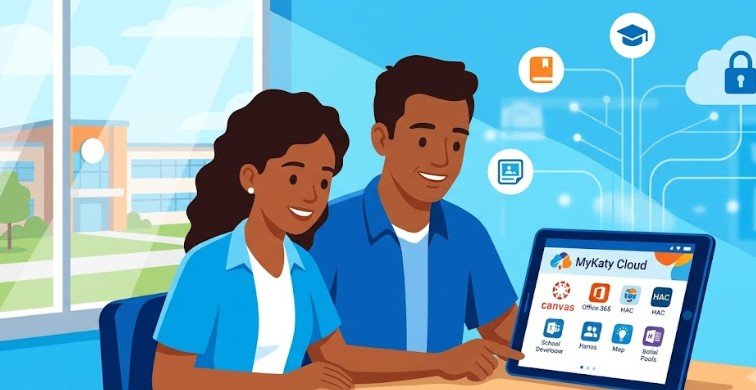
MyKaty Cloud solves this problem by centralizing authentication. Once authenticated, users see a personalized visual dashboard populated with app icons tailored to their specific grade level, campus, and class schedule.
Navigating the Portal: Access Rules for Students, Staff, and Parents
Getting into the portal is straightforward, but login credentials depend entirely on your role within Katy ISD.
Students and Staff
Students and campus employees access the portal directly using their Katy ISD network ID and standard password.
- Automatic Sync: Logging in automatically opens access to critical tools like Canvas for coursework, Microsoft Office 365 for assignments, and various digital textbook portals.
- Troubleshooting: If a student forgets their password, they do not need to call central administration. Classroom teachers can quickly reset student credentials directly from their campus devices.
Parents and Guardians
Parents use the mykaty cloud portal primarily to monitor academic progress through the Home Access Center (HAC).
- Credentials: Parents log in using the exact same username and password assigned to their HAC account.
- Multi-Factor Authentication (MFA): To protect sensitive student records and personal data, Katy ISD mandates a one-time MFA setup for parent accounts. When accessing HAC through the portal, parents must verify their identity using a secondary security code sent via text, phone call, or authentication app.
Essential Portal Features at a Glance
The portal organizes apps into dynamic folders, but a few core applications form the backbone of daily communication and learning.
| Application | Primary User | Main Function |
| Canvas | Students & Teachers | Core learning management system for assignments, modules, and teacher announcements. |
| Home Access Center (HAC) | Parents & Students | Official record for attendance, report cards, class schedules, and cumulative grades. |
| Microsoft Office 365 | All Users | Cloud storage via OneDrive, email via Outlook, and creation tools like Word and PowerPoint. |
| Digital Textbooks | Students | Subject-specific online readers (e.g., McGraw-Hill, Pearson, HMH) assigned by course enrollment. |
Step-by-Step Guide: Setting Up MFA and Solving Login Issues
Setting up Multi-Factor Authentication ensures that unauthorized parties cannot view student records or personal contact information.
Step 1: Initial Login
Navigate to the official Katy ISD MyKaty Cloud portal on any desktop or mobile browser. Enter your standard HAC username and password.
Step 2: Prompt for Security Verification
Upon your first login attempt to access HAC, the system will prompt you to set up your security preferences. Select your preferred method: SMS text message, phone call, or an authenticator application.
Step 3: Verify the Code
Retrieve the multi-digit code delivered to your device, enter it into the prompt, and confirm. Your device will register the session as secure.
Quick Troubleshooting Matrix
- Browser Redirection Loops: Clear your browser cache and cookies, or open an Incognito/Private window. Outdated cookies frequently disrupt SSO handshakes.
- Account Locked Out: If you attempt to log in multiple times with the wrong password, the system locks the account for security. Wait 15 minutes before retrying.
- Missing App Icons: App availability is tied to active course rosters. If a required digital textbook icon is missing, the student’s teacher must verify class roster synchronization with district IT.
Why Centralized EdTech Portals Matter in Modern Education
Centralized portals like mykaty cloud are more than just convenience tools; they represent a fundamental shift in educational security and accessibility. According to cybersecurity recommendations from the Cybersecurity and Infrastructure Security Agency (CISA), educational institutions are prime targets for data breaches due to the vast volume of personally identifiable information (PII) they hold.
By forcing all authentication through a single, fortified cloud platform protected by MFA, Katy ISD significantly reduces the risk of credential theft. Furthermore, centralized access ensures equity across the district. Whether a student is working on a library computer, a district-issued Chromebook, or a personal tablet at home, their complete learning environment remains identical.
Limitations and Common Misconceptions
While the portal is designed for seamless access, users occasionally run into misunderstandings regarding how the system functions.
- Single Sign-On Is Not “Universal Password” Storage: The cloud launchpad stores authorization tokens, not your actual plain-text passwords for every external website. If a third-party website outside of Katy ISD’s managed app directory prompts for a login, your district credentials will not work automatically.
- Parent Accounts Cannot Access Student Canvas Work Directly: A common point of confusion involves parent monitoring. Parents accessing the portal via HAC credentials can view grades and attendance, but viewing detailed day-to-day assignment submissions in Canvas usually requires registering separately as a “Canvas Observer” linked to the student’s account.
- Offline Access Exists Outside the Portal: Because it is a cloud platform, an active internet connection is required to open the launchpad. However, files previously synced to a student’s local Microsoft OneDrive folder can still be accessed offline.
Frequently Asked Questions
1. What should I do if I forget my MyKaty Cloud password?
Students should ask their classroom teacher for a password reset. Parents and staff can use the self-service password reset link on the login page or call Katy ISD Technology Support at 281-396-7400.
2. Can I access the portal on a mobile phone or tablet?
Yes. You can access the launchpad using any standard mobile web browser, or you can download the ClassLink app from the iOS App Store or Google Play Store and select Katy ISD.
3. Why is Multi-Factor Authentication required for parents?
MFA adds a critical layer of security to protect sensitive student information, including grades, attendance records, and family address data stored within the Home Access Center.
4. Why are some app icons missing from my dashboard?
App icons dynamically populate based on your current school roster and grade level. If a required class application is missing, contact the course teacher to verify roster synchronization.
Navigating modern educational technology does not have to feel overwhelming. Portals like mykaty cloud bring structure to digital learning by consolidating tools, securing student data, and simplifying access for parents and educators alike.
By taking a few minutes to configure Multi-Factor Authentication and understanding how single sign-on connections work, families can avoid tech friction and keep the focus entirely on learning. Bookmark the official Katy ISD portal, keep your recovery phone numbers updated, and leverage technology support whenever access hurdles arise.