
Demystifying xFi Complete: Is Xfinity’s All-in-One Tech Add-On Worth the Monthly Fee?
Many broadband subscribers do not realize that streaming 4K movies, working from home, and running smart home security systems can easily push a household over Comcast’s standard 1.2-terabyte (TB) monthly data limit. Exceeding that threshold triggers automated overage fees: $10 for every additional 50 gigabytes, capping out at a potential $100 extra per month. If you are trying to sidestep those surprise charges, Comcast often pitches a single bundle: xfi complete.
Understanding how much home data you actually consume has become essential to budget protection. The Federal Communications Commission (FCC) reports that home data usage per household continues to surge year after year as high-definition streaming, remote work, and cloud backups become baseline internet utility.
What Exactly Is Included in xFi Complete?
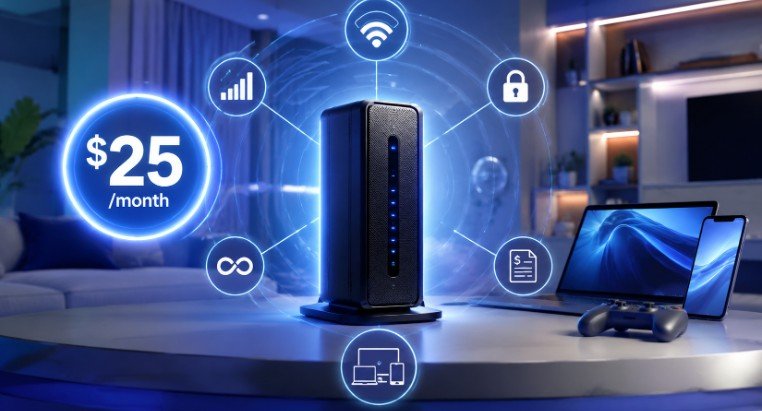
At its core, xfi complete is an optional monthly add-on package created by Xfinity to bundle internet hardware rental, unlimited data, and network management into one line item on your bill. Instead of paying piecemeal for different service tiers, the package consolidates several features:
- Unlimited Broadband Data: Removes the standard 1.2 TB data ceiling entirely, protecting large households from mid-month data overage penalties.
- Gateway Hardware Rental: Covers the monthly rental cost of an Xfinity xFi Gateway (an integrated modem and Wi-Fi router unit).
- Advanced Cybersecurity: Automatically filters inbound threats, blocking malicious IP connections, phishing attempts, and unauthorized network access at the router level.
- Integrated Parental Controls: Allows account managers to pause network access for specific devices, schedule bedtime blackouts, and screen out explicit web content through the mobile app.
- Whole-Home Signal Coverage Evaluation: Monitors your connected home’s mesh performance automatically after setup to determine if physical structural barriers are deadening your Wi-Fi signal.
While newer “Next-Gen” speed tiers in select regional markets occasionally include unmapped data limits out of the box, standard legacy plans rely on xFi Complete as the primary bridge to unlimited data without buying your own equipment outright.
Breaking Down the Math: Standalone Pricing vs. Package Value
To determine whether the add-on earns its spot on your monthly statement, you need to compare Xfinity’s itemized costs.
Generally, xFi Complete costs around $25 to $30 per month depending on your regional promotional status and current internet plan. Here is how that breaks down against buying services à la carte:
| Feature / Service | Standalone Xfinity Cost | Included with xFi Complete? |
| Standard Gateway Rental | ~$15 / month | Yes |
| Unlimited Data Add-On (Own Modem) | ~$30 / month | Yes |
| Mesh Wi-Fi Boosters (xFi Pods) | $119+ one-time (if needed) | Yes (If evaluation proves necessary) |
| Advanced Security Suite | Limited free tier | Yes (Full automated threat blocking) |
If you rent Xfinity’s gateway modem anyway ($15/mo) and realize you need unlimited data ($30/mo standalone), paying $25 to $30 total for xFi Complete saves you roughly $15 every month. However, if you already own your own retail modem and router and rarely cross 800 GB of data usage, the package represents an unnecessary monthly expense.
Whole-Home Wi-Fi Evaluation: How the Mesh Pod Recommendation Works
One of the most heavily discussed features of xFi Complete is the home coverage evaluation. Rather than sending a technician to walk around your hallway with a signal strength meter, Xfinity conducts an automated 14-day digital audit of your network environment.
During this two-week window, system algorithms evaluate:
- Signal drop-offs: How often connected smartphones or laptops drop packets in distant rooms.
- Physical obstruction interference: Dense plaster, concrete, or brick walls weakening signal propagation.
- Device density: Whether bandwidth drops off dramatically when multiple smart TVs and phones request data simultaneously.
If the system detects persistent dead zones or degraded throughput in outer rooms, Xfinity notifies you that your home qualifies for an xFi Pod at no additional hardware fee. These wall-plug mesh extenders sync directly with your main gateway to extend reliable coverage across larger home footprints.
The Practical Data Audit: Do You Actually Need Unlimited Data?
Before committing to a monthly add-on, it pays to check if your household’s actual online habits warrant unlimited bandwidth. The National Telecommunications and Information Administration (NTIA) emphasizes that evaluating household broadband needs helps consumers avoid overpaying for unnecessary bandwidth packages.
Use this quick checklist to estimate your monthly data footprint:
- 4K Streaming: Consumes roughly 7 GB to 11 GB per hour per device. Watching 4 hours of 4K content daily uses around 900 GB a month on a single TV.
- Modern Video Games: Game downloads routinely exceed 100 GB to 150 GB per title installation, plus regular multimegabyte patch updates.
- Remote Work & Video Calls: HD Zoom calls consume roughly 1.5 GB per hour. Continuous remote desktop connections and large cloud file syncs add up quickly.
- Security Cameras: Smart home cameras uploading 24/7 continuous video feeds to cloud servers can devour 150 GB to 300 GB monthly per camera.
The Verdict Test: Log into your online Xfinity account dashboard and check your historic usage logs over the past 90 days. If your household routinely crosses 850 GB per month, you are within striking distance of the 1.2 TB cap during high-use months like holidays or major gaming releases. In that window, xFi Complete acts as affordable financial insurance against overage fees.
When You Should Skip xFi Complete
Despite its features, xFi Complete is far from mandatory. You should active skip or remove this service if:
- You Prefer Personal Hardware: High-performance third-party routers and standalone Wi-Fi 6E mesh systems often outpace leased ISP gateways in customization, low latency routing, and local network control.
- You Have a Small Space: Apartments and compact single-story homes rarely suffer from dead zones, rendering the whole-home signal evaluation and mesh extenders redundant.
- Your Data Usage is Modest: Households focused primarily on web browsing, light streaming, and standard smart home hubs rarely come close to hitting Comcast’s data thresholds.
Frequently Asked Questions
1. What is xFi complete and why am I being charged for it?
xFi Complete is an Xfinity add-on bundling modem rental, unlimited data, and security. You are charged because it was selected during plan signup or added after exceeding data limits.
2. What comes with Xfinity xFi complete?
It includes an xFi Gateway modem/router rental, unlimited data without overage fees, advanced cybersecurity, parental controls, and a whole-home Wi-Fi evaluation for potential free mesh pods.
3. Can I get rid of xFi complete?
Yes. You can remove xFi Complete at any time through your online Xfinity account portal or customer service, though you will need to return their rented gateway equipment if swapping to personal gear.
4. Is xFi complete mandatory?
No, it is completely optional. You can use standard Xfinity internet with a basic equipment rental, opt for default data limits, or bring your own compatible modem and router to avoid monthly rental fees entirely.
Deciding whether xfi complete is right for your home comes down to basic math and your household’s internet habits. If you already lease Xfinity’s gateway and frequently worry about hitting data caps while streaming or gaming, adding the package can lock in unlimited data while trimming down your overall monthly bill.
On the flip side, if you prefer using your own network gear and stay comfortably beneath standard monthly data caps, passing on this add-on keeps money right in your pocket. Run a 90-day usage audit today to see where your data stands.

Related Posts

Cyberbackgroundchecks Exposed: How Your Private Life Ended Up Online and How to Scrub It

Mastering MyKaty Cloud: The Ultimate Access & Security Guide for Katy ISD Families